macOS Automator copy fails – you don’t have permission…

This issue hit one of our IT Support clients in Oxford, primarily using Macs.

A user was trying to set up an Automator workflow to copy the Xcode folder from the local Documents to a Synology NAS network storage device.

The copying would work for a while, but then the following error would pop up:
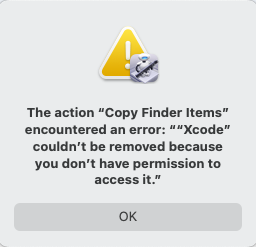
Automator error on a Mac - The action "Copy Finder Items" encountered an error ""Xcode" couldn't be removed because you don't have permission to access it."
The action “Copy Finder Items” encountered an error “”Xcode” couldn’t be removed because you don’t have permission to access it.”

The issue was resolved by giving Automator Full Disk Access permission:

  • System Settings > Privacy & Security > Full Disk Access
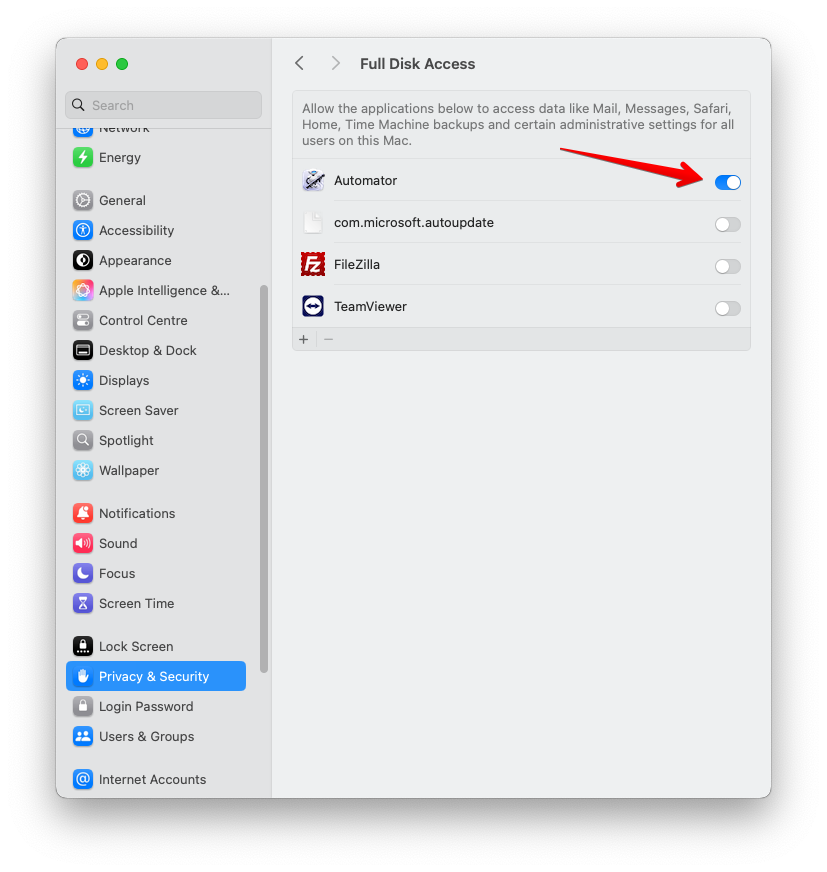
masOS - System Settings > Privacy & Security > Full Disk Access

January 2025
Oxford, Oxfordshire

Leave a Reply

Your email address will not be published. Required fields are marked *

Share the Post:

Related Posts