
One of our clients in Oxford recently contacted us after uninstalling Adobe Reader from their Windows 11 PC. Microsoft Edge was already set as the default PDF application, so everything appeared to be working normally. PDF files continued to open without any issues.
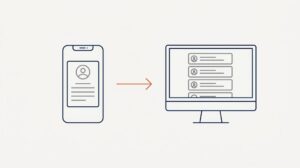
However, they soon noticed that PDF previews had stopped working in both File Explorer and Outlook. Instead of displaying a preview, Windows simply showed:
“No preview available”
At first glance, it looked like Adobe Reader might be required for PDF previews. Fortunately, that wasn’t the case.
What Caused the Problem?
While Microsoft Edge can open PDF files and also act as a PDF preview handler, uninstalling Adobe Reader can sometimes leave the PDF preview registration in an inconsistent state.
As a result:
- PDF files still opened correctly in Microsoft Edge.
- PDF previews stopped working in File Explorer.
- PDF attachment previews stopped working in Outlook.
The Solution
Rather than reinstalling Adobe Reader, we repaired Microsoft Edge:
- Open Settings.
- Navigate to Apps > Installed Apps.
- Locate Microsoft Edge.
- Click the three dots and select Modify.
- Choose Repair.
Once the repair completed, PDF previews immediately started working again in both File Explorer and Outlook.
Key Takeaway
If PDF previews stop working after removing Adobe Reader, don’t assume that Adobe Reader is required.
Microsoft Edge is capable of providing PDF preview functionality, but its registration may occasionally need repairing. Before reinstalling Adobe Reader or another PDF application, try repairing Microsoft Edge first.
This simple fix can save time, avoid unnecessary software installations, and restore PDF previews within minutes.
Need Help With Windows or Microsoft 365 Issues?
At AGGIA IT Services, we help businesses resolve day-to-day IT problems quickly and with minimal disruption. Whether it’s Microsoft 365, Windows, networking, cybersecurity, or server management, we’re here to help.
Get in touch if you’d like advice or support with your IT systems.