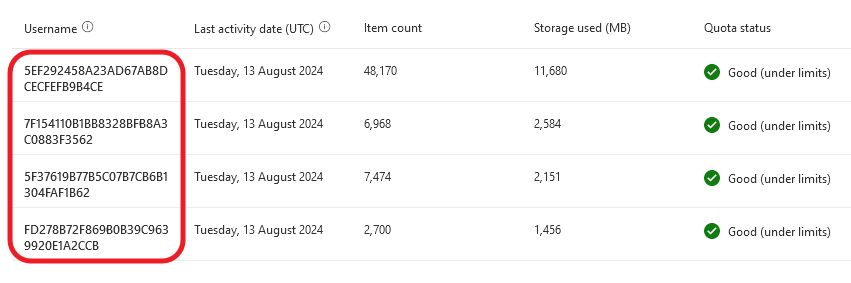
If you go to Microsoft 365 admin portal > Reports > Usage, by default you’ll see random ID numbers instead of actual user names.
This can be easily fixed. Login as a Global Admin, go to Microsoft 365 Admin Center > Settings > Org Settings > Services > Reports and uncheck “Display concealed user, group, and site names in reports“.
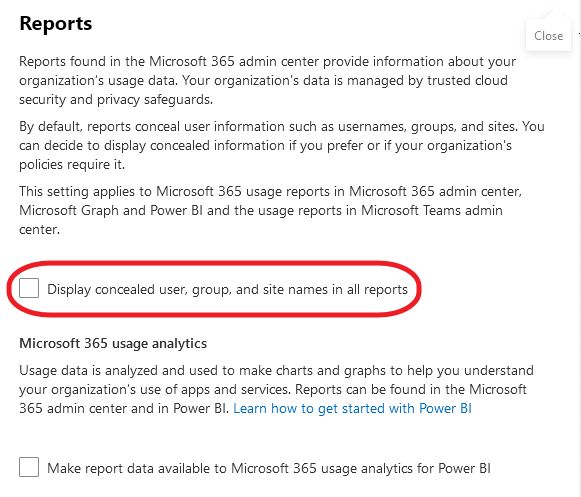
This is it. Refresh the web page and you will see user names instead of meaningless ID numbers.
August 2024
Oxford, Bicester, Oxfordshire