
We have many clients in Oxford and the surrounding areas standardised on DELL hardware. I often need to find a DELL PC or laptop service tag while connected remotely. This can be done in DELL Command / Update or DELL Support Assistant software. However, I find it easier and quicker to do this in the command prompt.
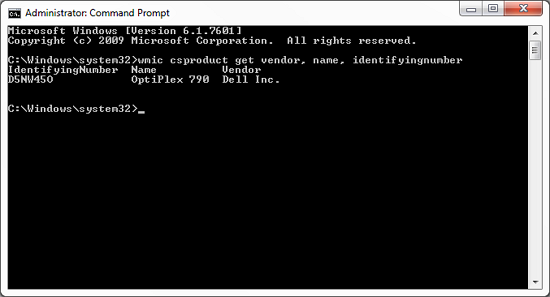
Just open the command prompt and type:
wmic bios get serialnumber
Another useful command will tell you computer model:
wmic csproduct get vendor, name, identifyingnumber
If you are in a Windows server domain environment, you can be fancy and do this over the network:
wmic /user:domain.local\domain-admin /node:192.168.20.55 bios get serialnumber
All this worked in the good old Windows XP days and still works today with Windows 11!