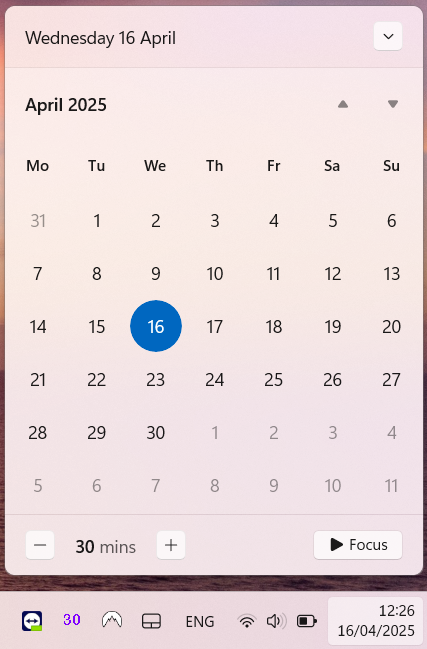
Since the way back, if you click on the Windows system clock in the taskbar, a calendar view opens. We had a few reports from users that this doesn’t always happen in Windows 11. In those cases, clicking on the system clock does absolutely nothing.
In most cases, the issue was caused by a disabled Action Centre. In the Windows Active Directory environment, this can be disabled by group policy:
- User Configuration > Policies > Administrative Templates > Start Menu and Taskbar
- Remove Notifications and Action Centre
- If this policy is set to Enabled, Action Centre is disabled.
- To re-enable the Action Centre, set this policy to Disabled or Not Configured.
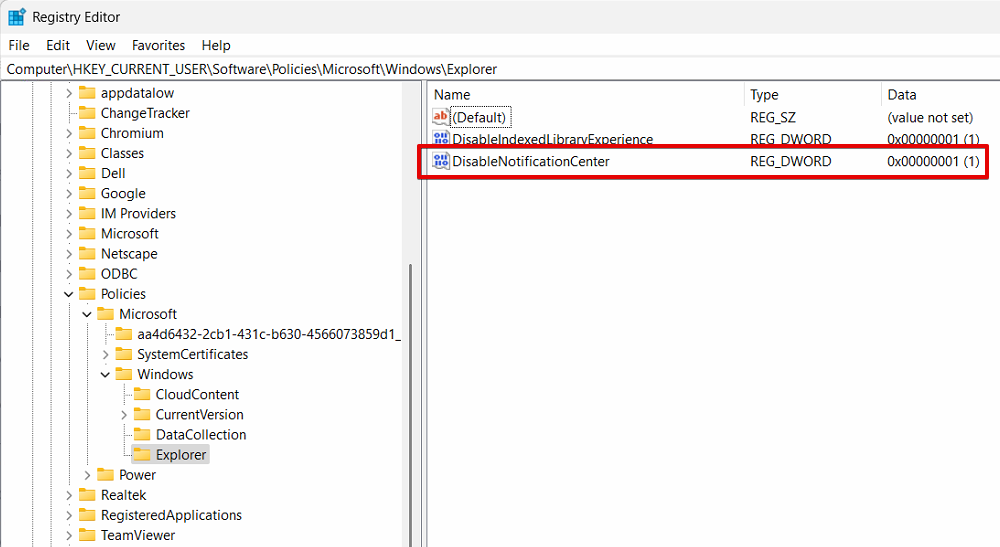
You can also re-enable the Action Centre via Windows Registry:
- Open Registry Editor (regedit.exe)
- Navigate to HKEY_CURRENT_USER\Software\Policies\Microsoft\Windows\Explorer
- Modify DWORD entry DisableNotificationCenter and set its value to 0
Just be aware if this is controlled by Windows Server Group Policy, your registry change will be overwritten.
April 2025
Windows 11 Pro
Oxford, Oxfordshire