

Some users from a small business in Oxford started reporting that seemingly randomly, they get interrupted by a Microsoft 365 login prompt. After entering their email address, they are shown the following error:
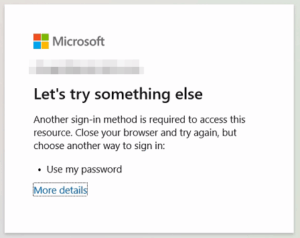
Let’s try something else
Another sign-in method is required to access this resource. Close your browser and try again, but choose another way to sign in:
• Use my password
This results in an endless loop – signing out and trying to sign in again brings up the same error message. This can be resolved (temporarily) by completely removing the Microsoft account from the app in question (Google Chrome, M365 desktop apps, Teams, etc.), then linking the account again.
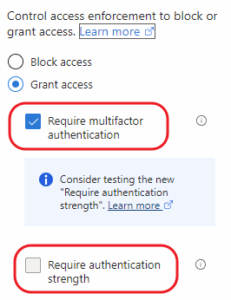
After some troubleshooting, we traced the issue to the recently enabled Entra ID Conditional Access Policy Access Control option: Require Authentication Strength. Reverting this to the older Require multifactor authentication option resolved the issue.







One Response
had this recently, same issue and fix.
thanks for sharing