
GooSetter Beta suddenly started throwing the following error when saving GPS coordinate changes to photos.
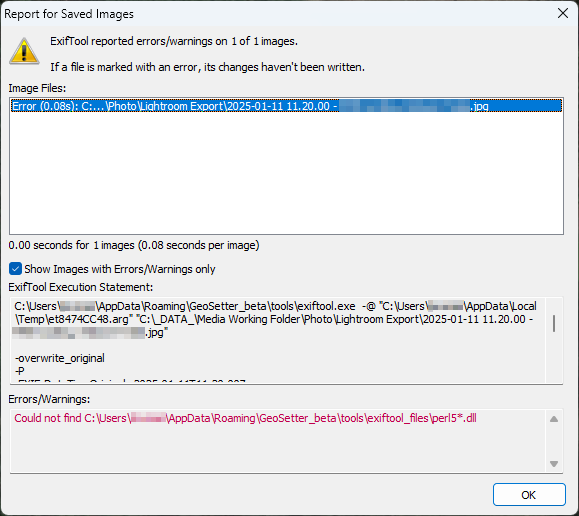
Could not find C:\Users\UserName\AppData\Roaming\GeoSetter_beta\tools\exiftool_files\pearl5*.dll
The issue was caused by GeoSetter using incorrect path to look for exiftool files. To resolve this, all I had to do was move all files from C:\Users\UserName\AppData\Roaming\GeoSetter_beta\tools to C:\Users\UserName\AppData\Roaming\GeoSetter_beta\tools\exiftool_files.
Basically, create a new folder called exiftool_files in C:\Users\UserName\AppData\Roaming\GeoSetter_beta\tools and move all files from tools into the new folder.
January 2025
Windows 11 Pro
Oxford, Oxfordshire