
This issue recently occurred when configuring DKIM / DMARC for a customer in Oxford. After setting everything up and give enough time for DNS updates to propagate, DKIM selector2 record was not working.

On Microsoft 365 admin portal everything looked correct and all DNS records were published. Even selector1 was working as expected, the issue was only with selector2.
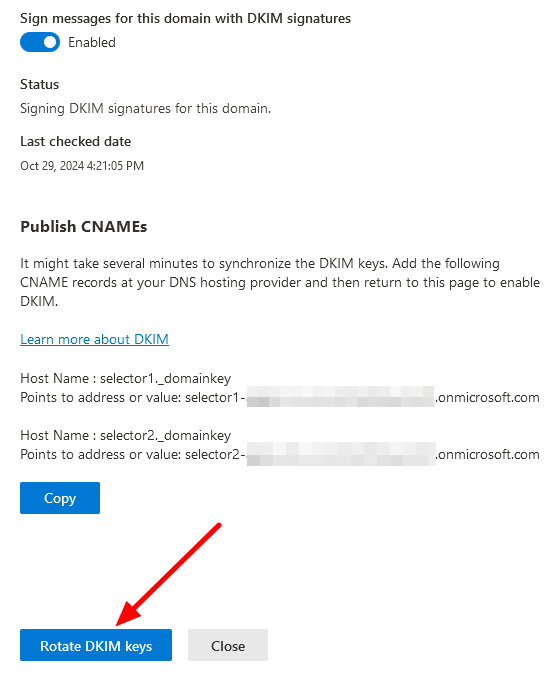
Resolution was pretty simple, all we had to do is Rotate DKIM keys.
Go to Microsoft 365 admin portal > Security > Email & Collaboration > Policies & Rules > Thread Policies > Email authentication settings > DKIM and click the Rotate DKIM Keys button.
November 2024
Oxford, Oxfordshire