One of my clients in Whitney (Oxfordshire) had an IONOS (previously 1&1) Exchange 2013 mailbox. Around November 2023 it was upgraded to Exchange 2019 on the IONOS end. After the upgrade, the email account was still accessible via webmail but was no longer working in Outlook. The user tried to remove and re-add the account in Outlook himself but without success.
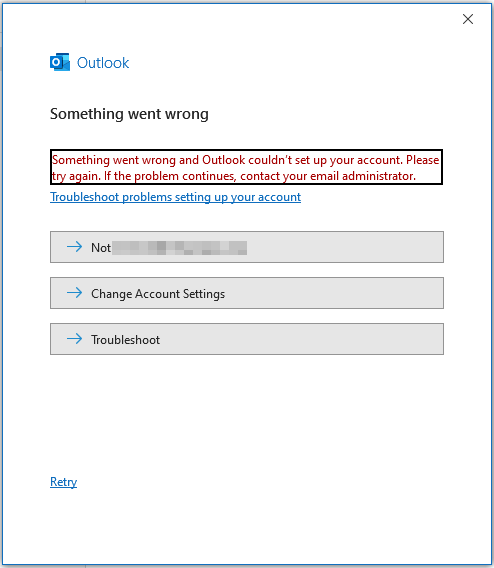
try again. If the problem continues, contact your email administrator.
The issue was caused by an incorrect autodiscover CNAME DNS record.

Even though the IONOS help centre still says that the record should be adsredir.ionos.info, this is incorrect for Exchange 2019. The correct record for IONOS Exchange 2019 is: autodiscover.exchange2019.ionos.co.uk

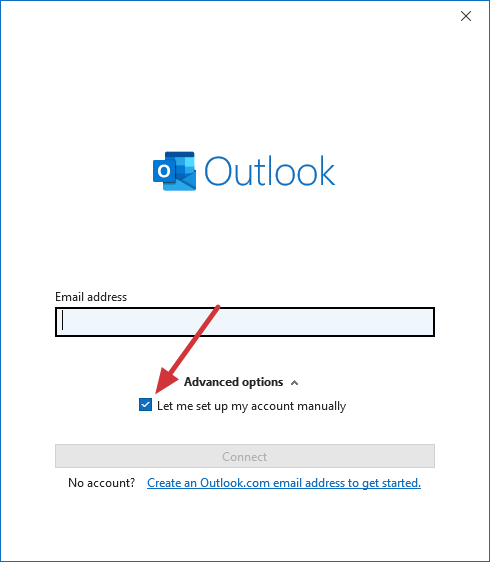
After updating the record and waiting 10-20 minutes, everything started working correctly. Just be aware that when adding an IONOS Exchange account in Outlook, you may need to check “Let me set up my account manually“
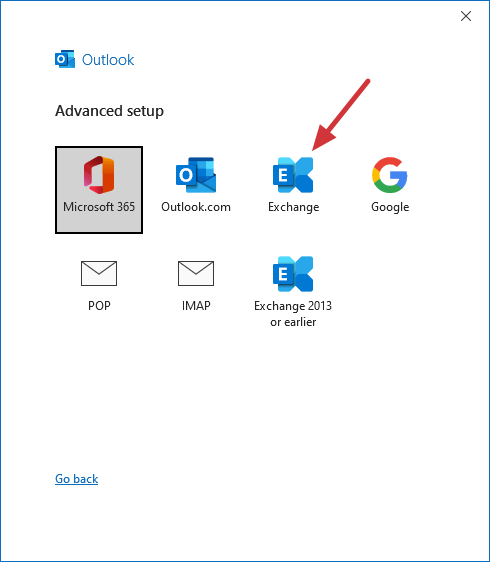
And then specify that this is an Exchange account.
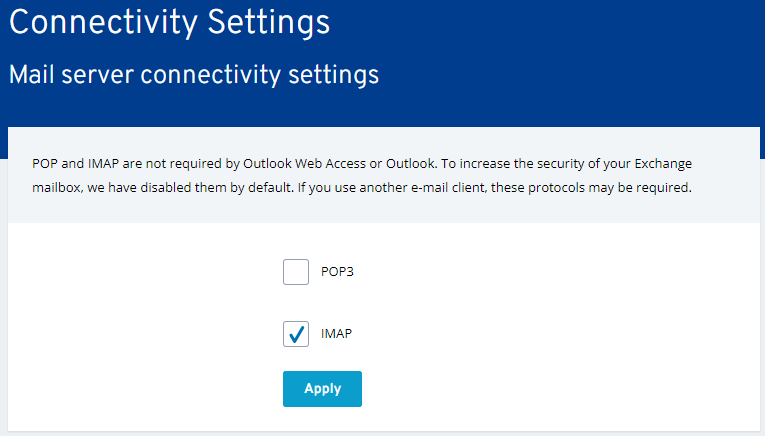
If you are still having issues configuring your IONOS Exchange 2019 account, it is possible to set it up as an IMAP account. First of all, you need to enable the IMAP protocol in IONOS Microsoft Exchange 2019 Administration Tool (login with the Exchange account credentials).
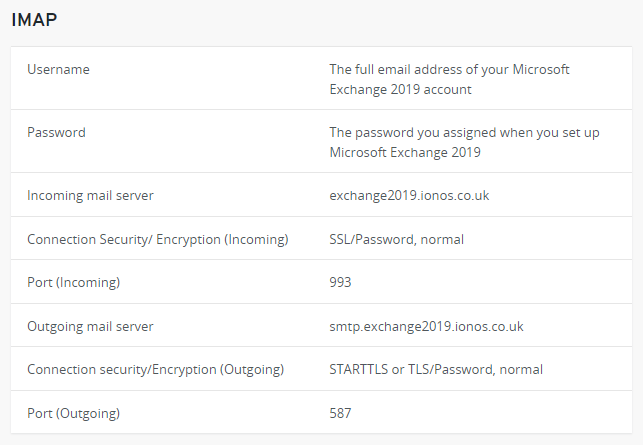
Then configure the account using these settings:
December 2023
IONOS Micrsofot Exchange 2023
Microsoft Outlook 365
Windows 10 Home