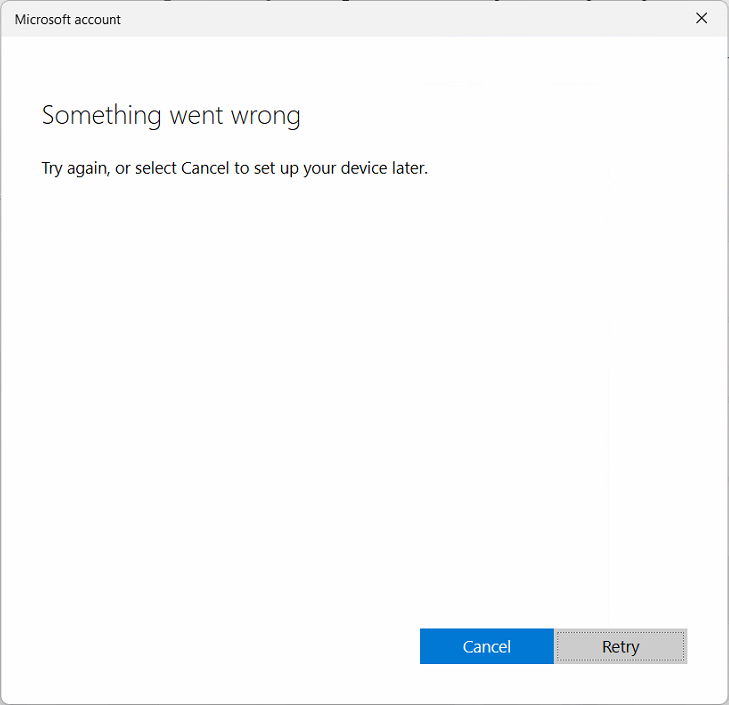
I’ve recently tried to join a Windows 11 Pro PC to Microsoft Entra ID and got the vague error:
“Something went wrong. Try again or select Cancel to set up your device later.”
What was happening
- The laptop was brand-new, running Windows 11 Pro.
- I entered the correct admin credentials for Entra ID.
- The join failed immediately, and no logs were created.
- Running
dsregcmd /debug /joingave:
Cannot start Task: 0x80041326
 Failed to schedule Join Task
It seems that Windows was trying to run the Automatic-Device-Join scheduled task, but the task was disabled, so it couldn’t run.
Here is what I did to resolve the issue:
- In Task Scheduler, navigate to Microsoft > Windows > Workplace Join
- Right-click on Automatic-Device-Join > Enable
- Try to join Entra ID again
At this time, the join process completed successfully.
I’m not entirely sure of the exact cause of the issue – this task is normally disabled in new Windows installations, but I assume it gets automatically enabled by the Entra ID Join process (which was not happening in this particular case)…