
The latest Apple operating system, macOS 26.2 (Tahoe), has rolled out across many of our Oxford and Oxfordshire clients, and while bringing new features, it also caused some headaches for a couple of users relying on external Targus docking stations that use DisplayLink technology.
If you’ve updated to macOS 26.2 and suddenly find your external monitors aren’t working, DisplayLink Manager says “No device connected” and your Ethernet, sound, or other USB peripherals are offline through the dock, you’re not alone.
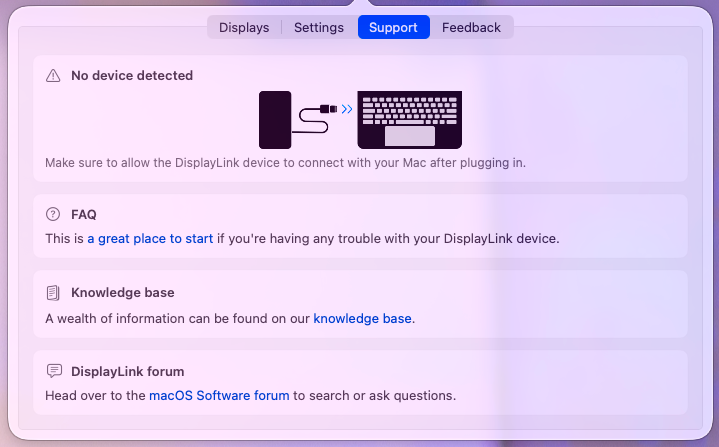
Quick Troubleshooting Steps
- Power cycle the USB dock
- Reinstall / Update DisplayLink Manager software
- Check System Settings > Privacy & Security > Screen Recording. Make sure “DisplayLink Manager” is set to ON
macOS Safe Mode Fix
In our case, the most effective solution for our affected Oxford business customers was a simple but powerful technique – booting into macOS Safe Mode.
Safe Mode performs a critical function: it clears system-level caches, runs a directory check of the startup disk, and disables certain third-party extensions. By forcing macOS to rebuild its kernel and system caches from scratch, it often resolves the underlying conflicts that prevent the DisplayLink dock from being properly recognised.
How to Boot into Safe Mode (for Apple Silicon Macs like M1/M2/M3):
- Completely shut down your Mac.
- Press and hold the Power Button until “Loading startup options” appears.
- Select your primary startup disk.
- Hold down the Shift key and click “Continue in Safe Mode.”
- Log in (you may need to log in twice). You’ll see “Safe Boot” in the menu bar.
Once in Safe Mode:
- Plug in your Targus dock. You should notice your monitors or other dock functions starting to work.
- After confirming functionality (or simply allowing macOS to complete its Safe Mode processes), restart your Mac normally.
Upon a normal restart, the fresh system caches and re-established driver handshakes should allow your Targus dock to function perfectly with macOS 26.2. This simple step has been a reliable fix for this frustrating connectivity problem experienced by our users in Oxford.
January 2026,
Oxford, Oxfordshire